Russian Transliteration Tool: Cyrillic to Latin in Four Systems
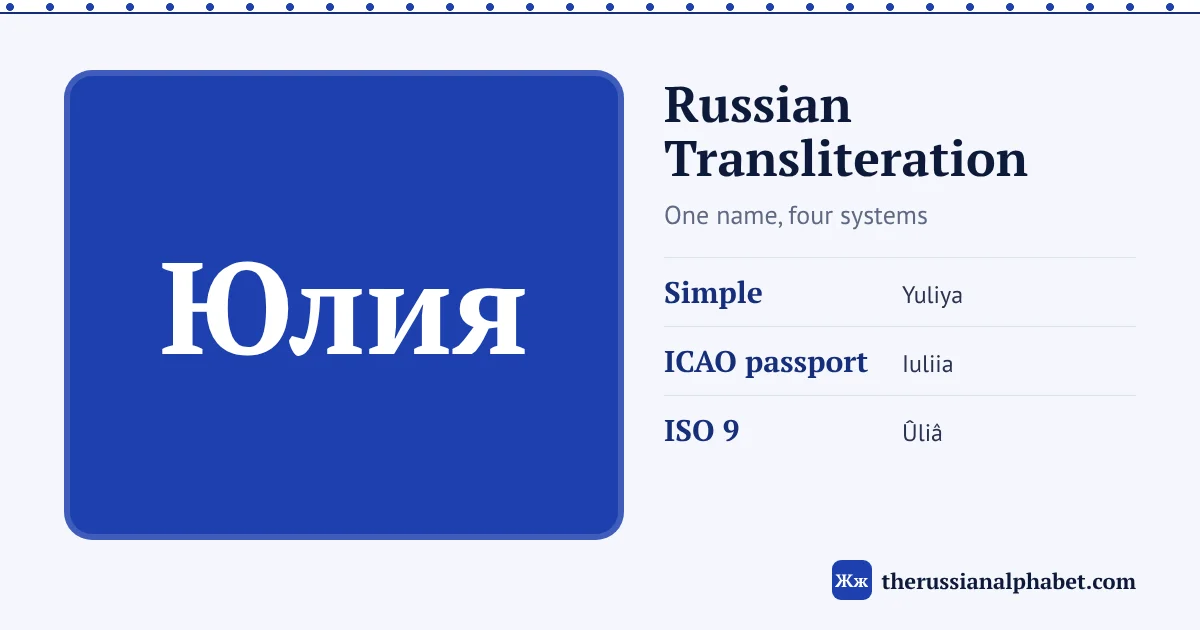
Russian transliteration is the process of writing Russian words in Latin letters, letter by letter, so that Москва becomes Moskva. There is no single correct way to do it. Passports, maps, library catalogues and casual texts each follow a different standard, which is why one name can show up as Yuliya, Iuliia or Ûliâ. The converter below handles four of those standards and also works in reverse, turning Latin typing into Cyrillic.
For a readable English spelling, use Simple or BGN/PCGN. For a Russian passport or visa form, use ICAO Doc 9303, the standard used in Russian international passports since 2013. For academic work that must convert back to Cyrillic exactly, use ISO 9.
Russian transliteration tool
Type or paste Russian text, pick a system and copy the result. Switch the direction to Latin → Cyrillic to type Russian with English letters.
How to use the converter
- Leave the direction on Cyrillic → Latin and type or paste Russian into the left box.
- Choose a System: Simple, BGN/PCGN, ICAO Doc 9303 (passport) or ISO 9:1995. The result updates as you type.
- Press Copy to copy the Latin text. Swap moves the result into the input and flips the direction; Clear empties the box.
Capital letters are kept: a capital Щ at the start of a name gives “Shch”, and a word in all capitals stays in all capitals. Spaces, digits and punctuation pass through unchanged. If you don’t have a Russian layout installed, type the Cyrillic first with the online Russian keyboard.
The four systems
About half of the Russian alphabet is written the same way in every system: а = a, б = b, д = d, к = k and so on. The differences come from letters that have no single Latin match. Each system solves that problem with a different goal in mind.
- Simple is our English-friendly style, the one used across this site. It writes ё as “yo”, drops the soft and hard signs, and adds a “y” before е only at the start of a word or after a sign. It is easy to read aloud but cannot be converted back to Cyrillic exactly.
- BGN/PCGN was adopted by the US Board on Geographic Names in 1944 and the UK Permanent Committee on Geographical Names in 1947. It is the basis of many English-language maps and atlases. The UK government publishes the current BGN/PCGN table for Russian. It marks the signs with ” and ’ and writes е as “ye” at the start of a word and after a vowel, й, ъ or ь.
- ICAO Doc 9303 is the machine-readable travel document standard from the International Civil Aviation Organization. Its Part 3 transliteration table uses only plain A–Z letters, because passport machine-readable zones cannot hold accents. That is why it writes я as “ia” and ю as “iu”.
- ISO 9:1995 gives every Cyrillic letter exactly one Latin letter, using diacritics (ž, č, š, ŝ, â, û). That makes it reversible: you can always get the original Cyrillic back. Russia’s GOST 7.79-2000 standard is based on it.
Where the systems differ
These are the 15 letters where at least one system departs from the others. The values are exactly what the converter above produces.
| Letter | Simple | BGN/PCGN | ICAO (passport) | ISO 9 |
|---|---|---|---|---|
| е | e; ye at word start or after ъ/ь | e; ye at word start or after a vowel, й, ъ, ь | e | e |
| ё | yo | ë; yë in the same places as ye | e | ë |
| ж | zh | zh | zh | ž |
| й | y | y | i | j |
| х | kh | kh | kh | h |
| ц | ts | ts | ts | c |
| ч | ch | ch | ch | č |
| ш | sh | sh | sh | š |
| щ | shch | shch | shch | ŝ |
| ъ | (dropped) | ” | ie | ʺ |
| ы | y | y | y | y |
| ь | (dropped) | ’ | (dropped) | ʹ |
| э | e | e | e | è |
| ю | yu | yu | iu | û |
| я | ya | ya | ia | â |
One small extra rule in Simple: a й after ы at the end of a word is dropped, so Красный (red) becomes Krasny rather than Krasnyy. To hear how each of these letters actually sounds, use the interactive Russian alphabet chart or read the Russian alphabet to English guide.
Worked examples: real names
The same eight names, run through all four systems. Press a name to hear it.
| Russian | Simple | BGN/PCGN | ICAO | ISO 9 |
|---|---|---|---|---|
| Yuliya | Yuliya | Iuliia | Ûliâ | |
| Shchyolkovo | Shchëlkovo | Shchelkovo | Ŝëlkovo | |
| Khrushchyov | Khrushchëv | Khrushchev | Hruŝëv | |
| Dostoevskiy | Dostoyevskiy | Dostoevskii | Dostoevskij | |
| Natalya | Natal’ya | Natalia | Natalʹâ | |
| Yevgeniy | Yevgeniy | Evgenii | Evgenij | |
| Yeltsin | Yel’tsin | Eltsin | Elʹcin | |
| Chaykovskiy | Chaykovskiy | Chaikovskii | Čajkovskij |
A few things stand out. Yuliya (stress: YU-li-ya) and Natalya (stress: na-TA-lya) show how ICAO turns я into “ia”. Shchyolkovo, a town near Moscow (stress: SHCHYOL-ko-vo), shows ICAO losing the “yo” sound entirely, because it writes ё as plain “e”. Dostoevskiy (stress: do-sto-YEV-skiy) shows the one place where Simple and BGN/PCGN part ways on е: BGN/PCGN adds a “y” after a vowel, Simple does not.
Famous names often have a traditional English spelling that matches no system: Dostoevsky, Tchaikovsky, Yeltsin, Khrushchev. Those are conventions, not transliterations. If a name already has an established English form, use that form in English text and use a system only when you need consistency or an official match.
Passports and official documents
Russian international passports use the ICAO Doc 9303 table. The rules were set by an order of the Federal Migration Service (No. 320, dated 15 October 2012) that came into force in 2013. Earlier passports followed other rules, so people who got passports at different times can have different Latin spellings of the same name. If you are filling in a visa form, ticket or bank document, copy the spelling exactly as it appears in the passport rather than transliterating it again.
Libraries are a separate world. North American libraries and the British Library catalogue Russian books with ALA-LC romanization, published as the Library of Congress Russian romanization table. It writes й as ĭ and э as ė, among other details. The converter does not include ALA-LC, so for catalogue searches use the Library of Congress table directly.
Latin to Cyrillic
Switch the converter to Latin → Cyrillic and it reads what you type phonetically. The system menu is turned off in this mode, because one scheme handles all input. It always tries the longest match first, so “shch” gives щ before “sh” can give ш. A capital first letter gives a capital Cyrillic letter.
- “privet” gives (hi)
- “chay” gives (tea): a “y” right after a vowel becomes й
- “sol'” gives (salt): an apostrophe is the soft sign
- “pod”ezd” gives (building entrance): two apostrophes make the hard sign
Here is the full typing table the converter uses:
Because the scheme is phonetic, a few spellings are ambiguous. “ts” always becomes ц, so typing “detstvo” gives децтво instead of детство (childhood); fix that letter by hand. “sh” followed by “ch” is read as щ, and a “y” before a vowel joins it (ya, yu, yo, ye). For long texts, the Russian keyboard in phonetic mode is often more comfortable, since you see each letter as you type.
FAQ
Which Russian transliteration system should I use?
There isn’t one universal system; it depends on the purpose. Russian passports use ICAO Doc 9303, many English-language maps use BGN/PCGN, libraries use ALA-LC, and ISO 9 is used where text must convert back to Cyrillic exactly.
Why is my name spelled differently in my Russian passport?
Since 2013 Russian international passports follow ICAO Doc 9303, which writes я as “ia”, ю as “iu” and й as “i”. Older passports used a different style, so the same name can have two spellings depending on when the passport was issued.
Is transliteration the same as translation?
No. Transliteration changes the letters, not the meaning. Спасибо becomes spasibo, which is still a Russian word; translation would give “thank you”.
Which system lets me convert back to Cyrillic exactly?
ISO 9:1995. It maps each Cyrillic letter to exactly one Latin letter, so nothing is lost. The other three merge some letters; in ICAO, for example, е, ё and э all become “e”.